
Spot User Experience
Overview
The information you send in each quote request directly shapes what your customers see across Spot’s UX - from confirmation emails to their coverage dashboard to the refund experience. Accurate field mapping (especially cartName, productName, and participantDescription) ensures customers always recognize what they purchased and can manage their coverage without confusion.
Below is a quick guide to where your quoting data appears throughout the customer journey.
Confirmation Email
After a customer completes checkout with Spot coverage, and you accept the associated quote(s), we send them a confirmation email summarizing:
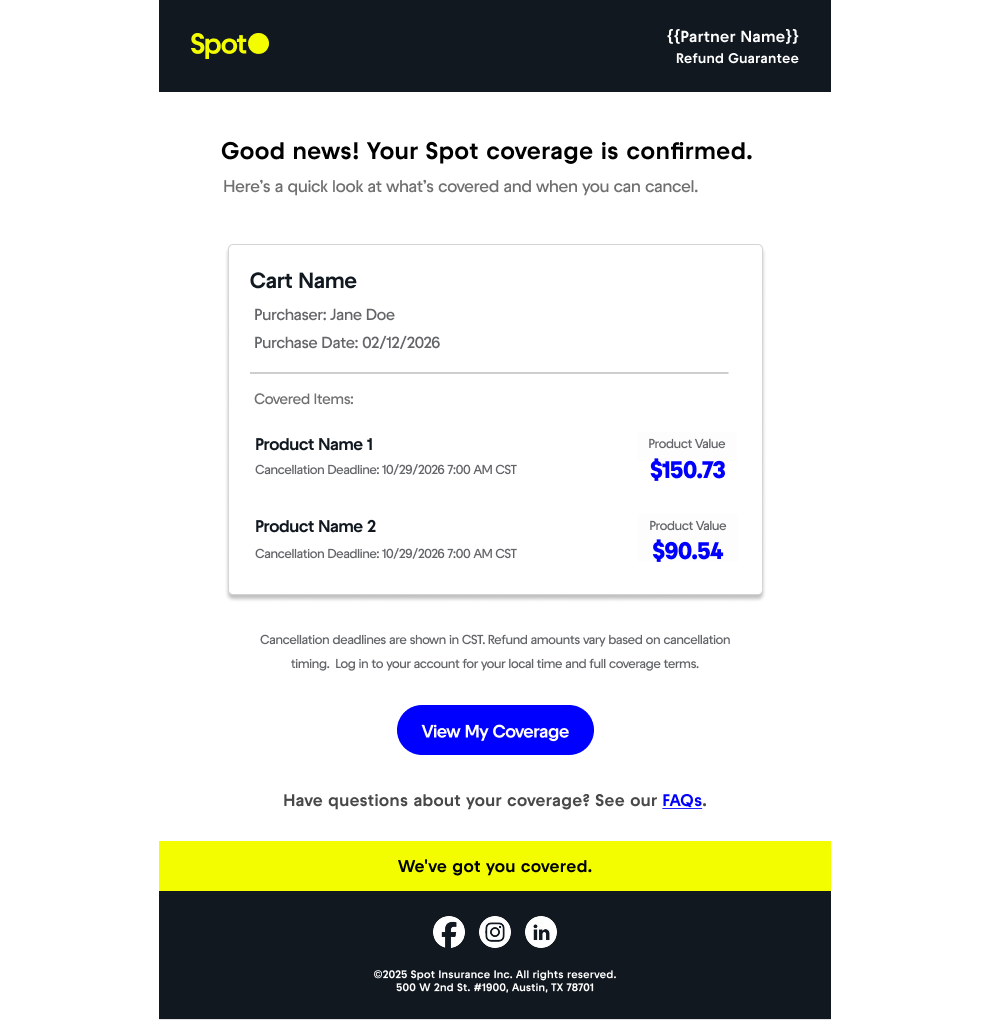
- Cart Name: The
cartNameassociated with thecartIdin your quote requests - there is one email sent percartId - Product Name(s): The
productNameof each item in the cart - Product Value: The
productPriceof each item in the cart - Cancellation Deadline(s): These are calculated based on each item's
startDateand the terms of its associated Spot offer
Partners should map fields that customers would expect to see in a receipt-style confirmation.
My Account Dashboard
Customers can view their active coverages anytime in their Spot account. Each coverage card includes:
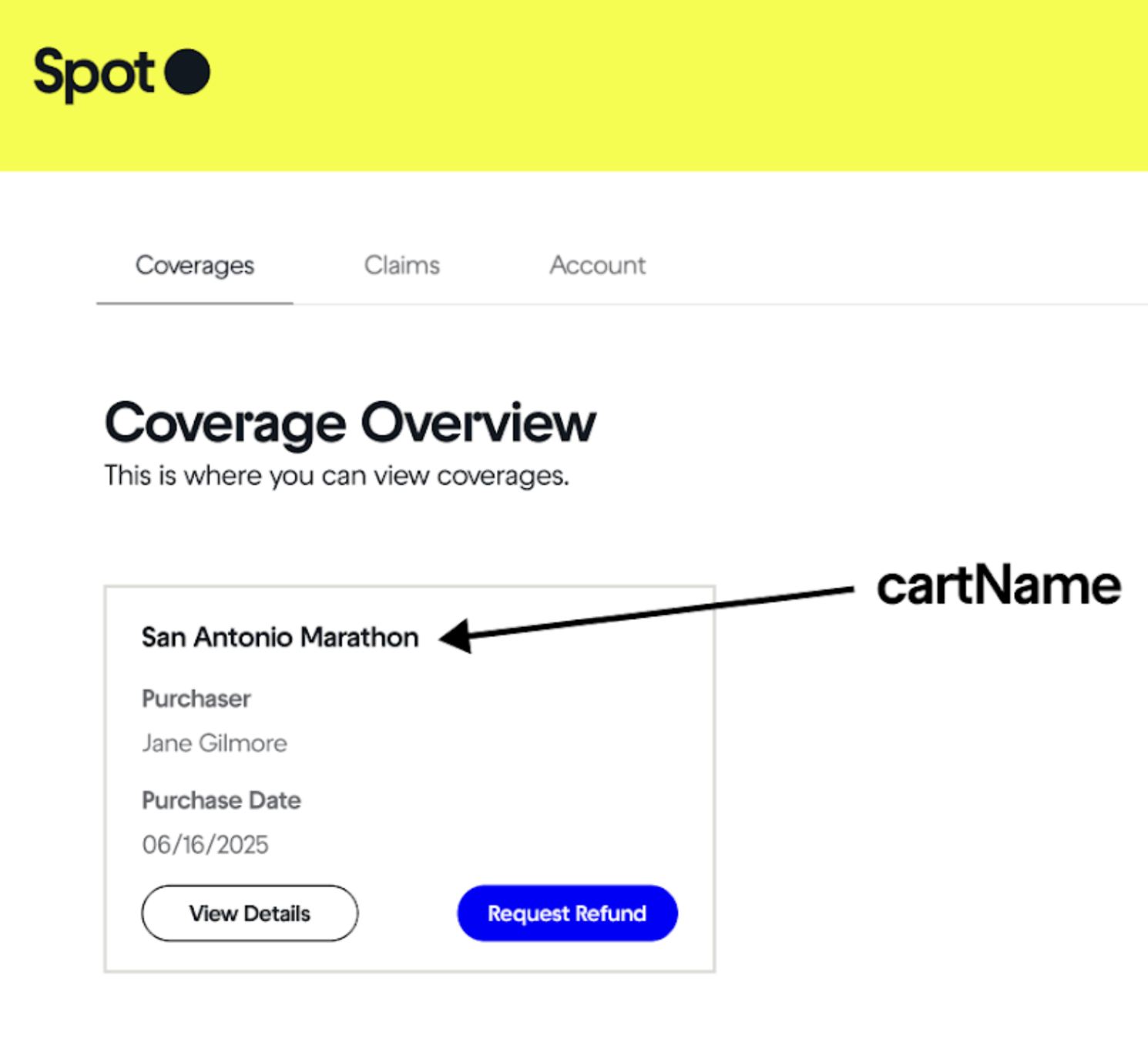
- Cart Name: The
cartNameassociated with thecartIdin your quote requests - there is one coverage card percartId - Purchaser: The
purchaserpassed when you accept the quote - Purchase Date: The date on which you successfully accept the quote
These details help customers distinguish between multiple purchases. Clean, human-readable values mapped into the quote request make this view more intuitive.
Refund Experience
When a customer files a refund request, Spot uses your quote fields to contextualize which item the refund applies to:
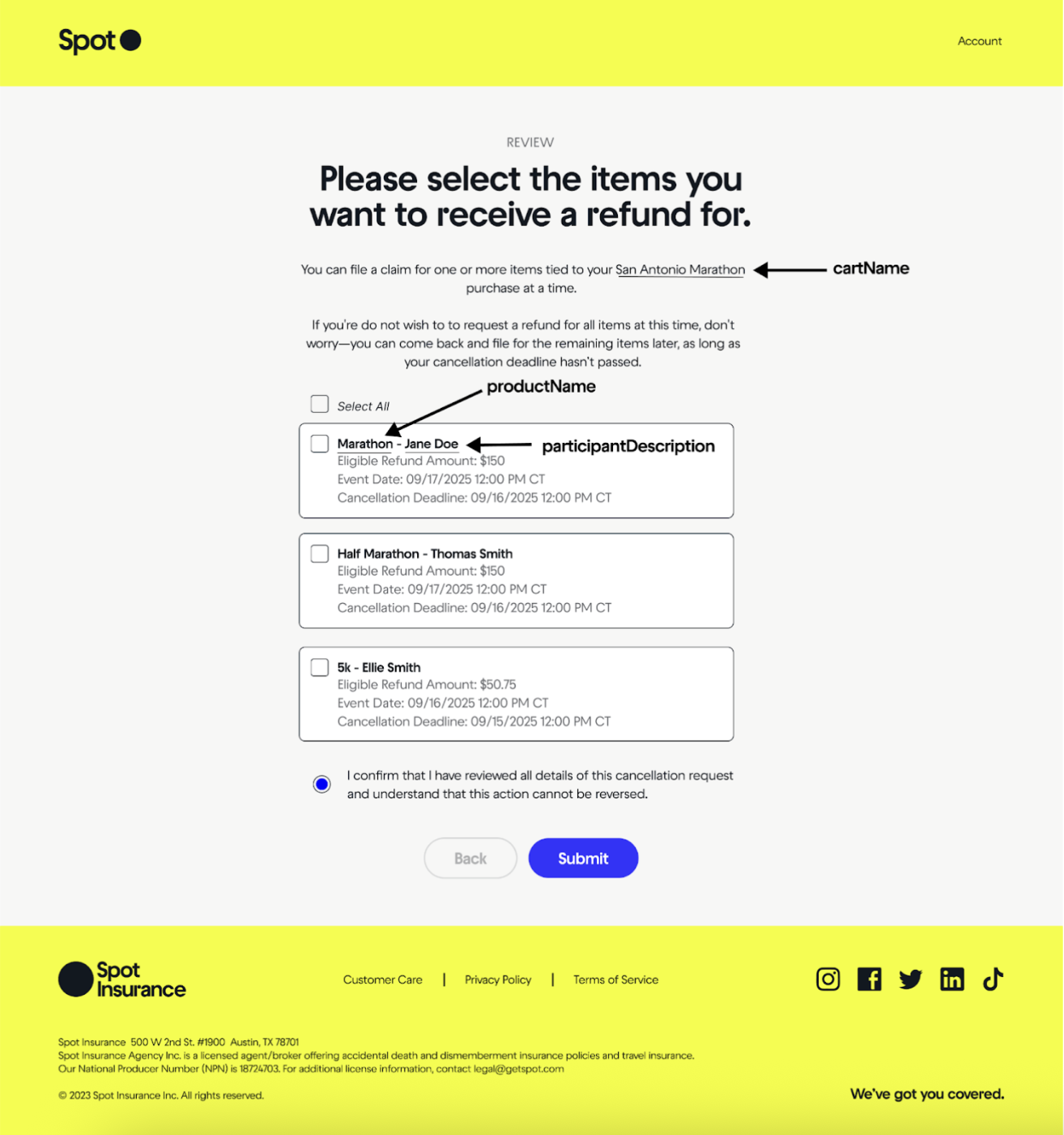
- If multiple items were purchased in a single checkout (
cartIdshared across items), the customer sees a list labeled with yourproductName+participantDescription, making it easy to select the correct item - If only one item was purchased, we skip item selection and move them straight to submission
Providing clear per-item values directly reduces customer support volume and refund mistakes.
Updated 11 days ago